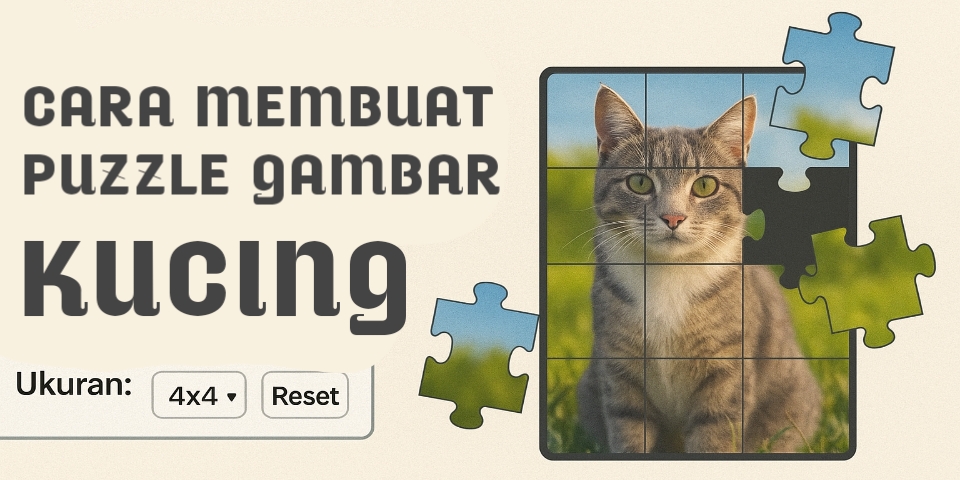
Tutorial Lengkap: Cara Membuat Puzzle Gambar Kucing Interaktif dengan HTML, CSS, dan JavaScript
Tutorial ini menjelaskan langkah-langkah membuat puzzle gambar kucing interaktif menggunakan HTML, CSS, dan JavaScript. SQ membahas cara menyiapkan struktur halaman, mengatur tampilan dengan CSS, lalu membangun logika puzzle seperti pengacakan, pergerakan ubin, hingga pengecekan kemenangan. Cocok untuk pemula yang ingin belajar membuat game web sederhana namun menarik.
Membuat puzzle gambar kucing berbasis HTML, CSS, dan JavaScript ini cukup sederhana, dan SQ akan jelaskan langkah-langkahnya agar mudah dipahami. Pertama, SQ menyiapkan struktur HTML sebagai wadah elemen puzzle, tombol kontrol, dan area informasi seperti waktu serta jumlah gerakan. Setelah itu, SQ membuat gaya dasar lewat CSS supaya tampilan puzzle terlihat rapi, responsif, dan nyaman dipakai.
Lanjut ke bagian terpenting, yaitu JavaScript. Di sini SQ menentukan ukuran puzzle yang bisa dipilih user, misalnya 3×3, 4×4, atau 5×5. SQ juga membuat array state yang menyimpan posisi setiap potongan gambar. Saat fungsi init() dipanggil, SQ menyiapkan ulang papan, menghitung ulang grid, serta mengatur timer dan jumlah langkah.
Untuk mencampur puzzle, SQ memakai fungsi shuffle() yang mengacak elemen array secara acak. Setelah itu, SQ membangun fungsi render() untuk menampilkan setiap potongan gambar sesuai posisi yang benar. SQ juga membuat fungsi move() untuk mengecek apakah ubin dapat digeser ke arah slot kosong. Jika valid, SQ menukar posisi ubin dan memperbarui tampilan. Terakhir, SQ menambah fungsi checkWin() untuk mendeteksi apakah puzzle sudah tersusun benar. Dengan semua langkah ini, SQ bisa membuat puzzle interaktif yang seru dimainkan.
<!DOCTYPE html>
<html lang="id">
<head>
<meta charset="UTF-8">
<title>Puzzle Gambar Kucing</title>
<style>
    body {
        font-family: Arial, sans-serif;
        background: #fafafa;
        display: flex;
        flex-direction: column;
        align-items: center;
        margin: 0;
        padding: 20px;
    }
    h1 { margin-bottom: 10px; }
    #controls {
        margin-bottom: 15px;
        display: flex;
        gap: 10px;
        flex-wrap: wrap;
        justify-content: center;
    }
    button, select {
        padding: 10px 14px;
        font-size: 15px;
        border-radius: 6px;
        border: 1px solid #999;
        cursor: pointer;
    }
    #board {
        display: grid;
        gap: 2px;
        background: #222;
        padding: 2px;
        border-radius: 6px;
        touch-action: manipulation;
    }
    .tile {
        background-size: 100% 100%;
        background-repeat: no-repeat;
        cursor: pointer;
    }
    .empty {
        background: #111;
        cursor: default;
    }
    #info { margin-top: 12px; }

</style>
</head>
<body>

<h1>Puzzle Gambar Kucing</h1>

<div id="controls">
    <label>Ukuran:
        <select id="size">
            <option value="3">3×3</option>
            <option value="4" selected>4×4</option>
            <option value="5">5×5</option>
        </select>
    </label>
    <button onclick="shuffle()">Acak</button>
    <button onclick="reset()">Reset</button>
</div>

<div id="board"></div>
<div id="info">
    Gerakan: <span id="moves">0</span> —
    Waktu: <span id="timer">00:00</span>
</div>

<script>
const IMAGE_URL = "https://static.boredpanda.com/blog/wp-content/uploads/2020/04/professional-outdoor-cat-photoshoot-wally-roops-pet-photography-2-5e845564e6b2a__700.jpg";

let size = 4;
let state = [];
let moves = 0;
let timerInterval, time = 0;

const boardEl = document.getElementById("board");
const movesEl = document.getElementById("moves");
const timerEl = document.getElementById("timer");
const sizeEl = document.getElementById("size");

sizeEl.onchange = () => {
    size = Number(sizeEl.value);
    init();
};

function init() {
    clearInterval(timerInterval);
    time = 0;
    timerEl.textContent = "00:00";
    moves = 0;
    movesEl.textContent = moves;

    boardEl.style.gridTemplateColumns = `repeat(${size}, 1fr)`;
    const n = size * size;
    state = Array.from({length: n}, (_, i) => (i + 1) % n);
    render();
}

function shuffle() {
    for (let i = state.length - 1; i > 0; i--) {
        const j = Math.floor(Math.random() * (i + 1));
        [state[i], state[j]] = [state[j], state[i]];
    }
    moves = 0;
    movesEl.textContent = moves;
    startTimer();
    render();
}

function startTimer() {
    clearInterval(timerInterval);
    timerInterval = setInterval(() => {
        time++;
        timerEl.textContent = new Date(time * 1000).toISOString().slice(14, 19);
    }, 1000);
}

function reset() { init(); }

function render() {
    boardEl.innerHTML = "";
    const n = size * size;
    state.forEach((val, i) => {
        const tile = document.createElement("div");
        tile.className = "tile";

        if (val === 0) {
            tile.classList.add("empty");
        } else {
            const row = Math.floor((val - 1) / size);
            const col = (val - 1) % size;
            tile.style.backgroundImage = `url(${IMAGE_URL})`;
            tile.style.backgroundSize = `${size * 100}% ${size * 100}%`;
            tile.style.backgroundPosition = `${(col / (size - 1)) * 100}% ${(row / (size - 1)) * 100}%`;
        }

        tile.onclick = () => move(i);
        tile.style.height = `${360 / size}px`;
        tile.style.width = `${360 / size}px`;

        boardEl.appendChild(tile);
    });
}

function move(index) {
    const emptyIndex = state.indexOf(0);

    const sameRow = Math.floor(index / size) === Math.floor(emptyIndex / size);

    const valid =
        (index === emptyIndex - size) ||   // atas
        (index === emptyIndex + size) ||   // bawah
        (sameRow && index === emptyIndex - 1) || // kiri dalam baris
        (sameRow && index === emptyIndex + 1);   // kanan dalam baris

    if (!valid) return;

    [state[index], state[emptyIndex]] = [state[emptyIndex], state[index]];
    moves++;
    movesEl.textContent = moves;

    if (!timerInterval) startTimer();
    render();
    checkWin();
}

function checkWin() {
    const n = size * size;
    for (let i = 0; i < n; i++) {
        if (state[i] !== (i + 1) % n) return;
    }
    clearInterval(timerInterval);
    setTimeout(() => alert(`🎉 Puzzle selesai!\nGerakan: ${moves}\nWaktu: ${timerEl.textContent}`), 200);
}

init();
</script>

</body>
</html>